Baselines and reviews
Freeze.
Compare.
Review.
Freeze states, compare them word by word, review them together – and present the result as a document.
At a glance.
4 categories
Added, removed, changed, unchanged.The comparison shows changed text word by word.
3 roles
Moderator, reviewers, authors.Every reviewer gives a verdict per requirement.
2 formats
PDF and DOCX from your own template.Built to PDF/A on request; from any baseline, without the draft mark.
Baselines and comparison
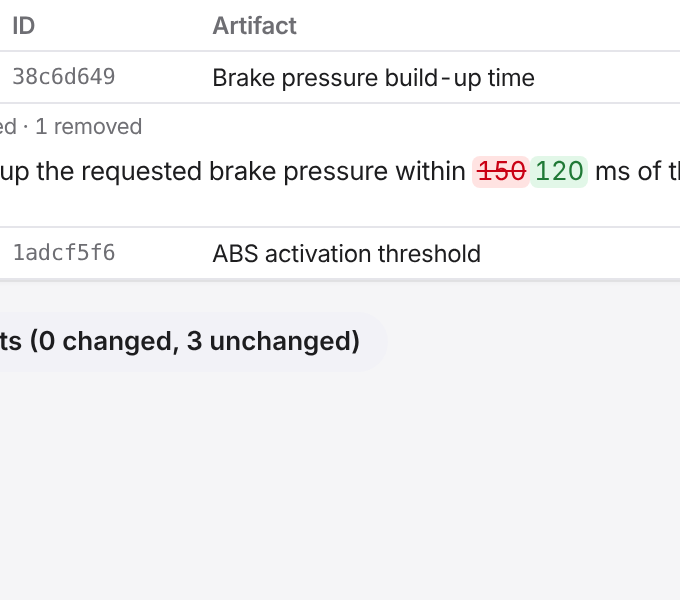
A baseline records the state of an entire specification immutably. Compare two states including structure and links, with changed text word by word.
Comments, locks and reviews are not part of a baseline; they always refer to the current state.

Reviews in several rounds
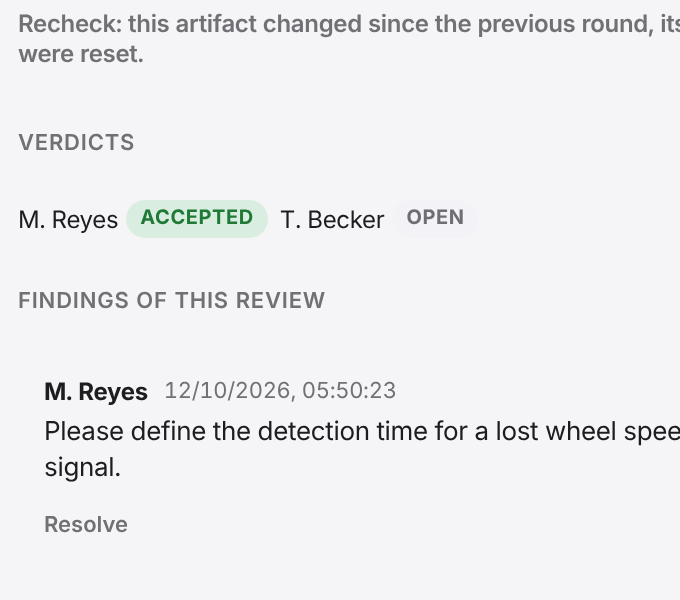
A review runs on a frozen baseline; every reviewer gives a verdict per requirement, and findings are comments on it. In the next round only what has changed is assessed again, and a closed review stays immutable.

Documents from your own templates
The current state or a baseline becomes a document structured like the tree – as PDF, built to PDF/A on request, and as editable DOCX, with a table of contents and lists of figures and tables. Mirador checks your own template on upload and test-typesets it.
Your LaTeX template shapes the PDF; a Word style template inside it shapes the DOCX. Mirador builds PDF/A files to PDF/A-2b; validating them with a checker is still to come.
Also in Mirador
History per artifact
An artifact’s history shows every revision with author, time and the changed attributes – old and new value.
Discussions on the artifact
Comments with replies and formatting. Mark a thread as resolved and reopen it when needed.
Lock artifacts
Nobody changes a locked artifact, not even the sync; whoever tries sees who locked it.
Status from the review
When a review closes, Mirador sets a status of your choice – “Approved”, for example – on every artifact that all reviewers accepted.
Notifications
Mirador reports review invitations and finished documents in the top bar; one click takes you there.
See for yourself.
In a demo we show you Mirador on a sample project and answer your questions about integration, operations and data protection.