Traceability
See what is missing.
From stakeholder requirement to test case and back: Mirador shows what belongs together – and where a link is missing.
At a glance.
10 levels
Traced on one board.Upstream and downstream, even across specifications.
8 condition types
For filters, grouped as all, any or none.From attributes through links and reviews to full text.
4 expectations
For checks, such as “no system requirement without a test”.Every result is kept, immutably.
Tracing across up to ten levels
The board shows up to ten levels side by side, upstream and downstream, even across specifications. Save views for yourself or for everyone, and export the traceability as CSV or Excel.

Suspect links, visible gaps
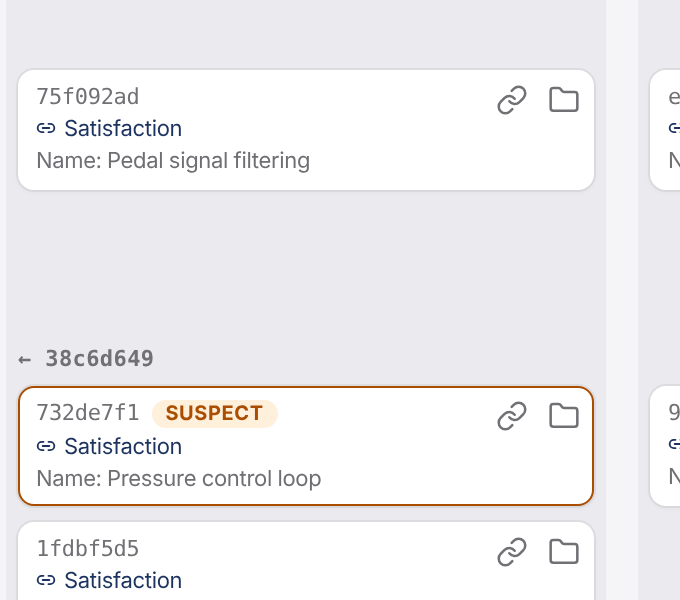
When a requirement changes, Mirador marks its links as suspect until someone has checked them. Each column of the board shows what is not covered – a requirement without a test, for example.
Marking is off by default; switch it on per link type in the type schema.

Filters and checks as evidence
Filters group conditions – all, any or none of them – for the current state, every baseline and every variant. A check pairs a filter with an expectation and records its result immutably.
Also in Mirador
Change many artifacts at once
Set attributes, move, link, unlink or change the type – for a selection or for every hit of a filter.
Search from the top bar
Search finds artifacts of the open specification by ID, title and text; a hit takes you straight to it.
An address for every artifact
Every artifact has its own address – in an email or a ticket it leads straight there.
Checks from your pipeline
Run checks through the REST API as well, from your CI for example, and read the result there.
See for yourself.
In a demo we show you Mirador on a sample project and answer your questions about integration, operations and data protection.